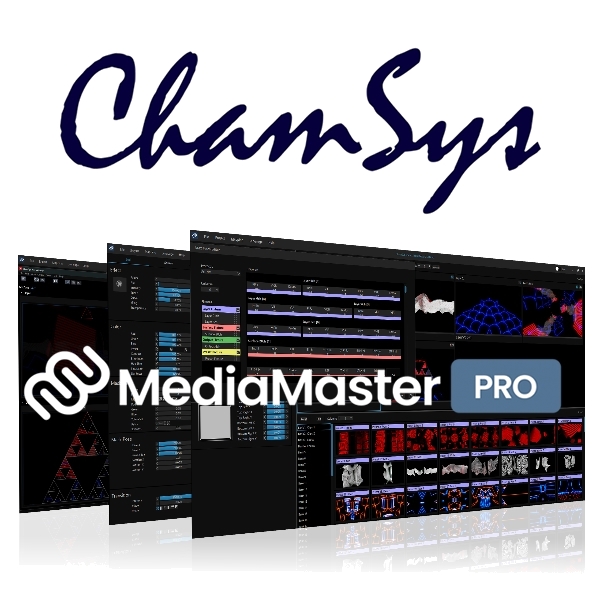
ChamSys MediaMaster PRO Software License
Ref: JP114057
The ChamSys MediaMaster Pro Software License is an intuitive, powerful software solution for video control, designed to make programming and running full visual shows fast, flexible, and effortless. With its streamlined SAGA codec, delivering 10-bit colour, alpha channel support, and smooth backward playback with minimal disk usage, MediaMaster ensures uncompromising performance and reliability.
The built-in LED Mapper offers seamless integration of LED fixtures, including automatic Kling-Net discovery, while its modern workflow tools-customisable views, multi-screen previews, and powerful workspaces-give users complete control and efficiency. Supporting flexible DMX connectivity, GDTF fixture export, and real-time interactive mapping, MediaMaster is the go-to choice for broadcast, touring, and live production environments that demand creativity without compromise.
Intuitive And Easy To UseDesigned to be fast and easy, MediaMaster is a unique solution for video control on the market. This intuitive software allows you to program and run full visual shows in just a few clicks, without the need for training or practice!
Thumbnail and Live Preview support via CITP/MSEX makes programming from your lighting console quick and easy.
Once you're ready, go live and take control of your show using only a few channels on your lighting desk, or just your computer keyboard.
SAGA CodecMediaMaster runs the streamlined proprietary MediaMaster SAGA codec with 10-bit definition per colour and an Alpha Channel.
Other advantages of SAGA include lower disk usage than with a standard HAP codec, also boosting the speed, the ability to play clips backwards and accelerated CPU and GPU rendering.
There is no chroma re-sampling, and the resolution size is unlimited.
MediaMaster LED MapperMediaMaster LED Mapper offers intuitive mapping of LED fixtures, including Kling-Net fixtures which feature fully automatic network discovery and configuration. Devices such as pixel battens, LED tape and pixel canvases are supported.
The mapper allows devices to be selected and placed interactively with results shown on the hardware in real time. For hybrid devices that combine pixels with conventional channels, such as a moving pixel head, MediaMaster can map the conventional channels from a lighting desk and insert the pixel data for seamless control/
MediaMaster Pro Video Mapper:The MediaMaster Pro video mapper allows easy mapping of video content onto irregularly shaped surfaces and through multiple outputs. Up to 200 surfaces and 16 outputs are supported.
Designed for fast creation of mapping projects, flowing visuals around complex objects can be achieved with just a few clicks.
NDI 5:MediaMaster Pro supports multiple NDI5 inputs/outputs with alpha, as well as being fully integrated in the extensive NDI5 product ecosystem, cementing it as a versatile live performance software.
NDI 5 (or Network Device Interface) is a protocol to send Video over IP. It is designed to allow the distribution of live professional video content over an existing IP infrastructure, freeing users from current hardware constraints. This means that NDI5 doesn't just cut back on cost, but also drastically reduces deployment time.
This software uses the NDI library. NDI is a trademark of NewTek, Inc.
ChamSys MediaMaster Pro Software License Features
Control from a lighting desk:
Create or customize your own fixture definitions to control MediaMaster parameters from your lighting desk, while minimizing the channel overhead. Streamline this integration with GDTF to send your MediaMaster fixtures to your desk, and CITP to send media previews
Powerful Workspaces:
- Workspaces contain assets that can span projects - Media files, Video and led maps, DMX fixture definitions
- MediaMaster 25 workspace can contain many or few projects
- Assets used by several projects are not duplicated
- Convenient export for project deployment to an event
MediaMaster Pro Video Mapper:
The MediaMaster Pro video mapper allows easy mapping of video content onto irregularly shaped surfaces and through multiple outputs. Up to 250 surfaces and 16 outputs are supported. Designed for fast creation of mapping projects, flowing visuals around complex objects can be achieved with just a few clicks
The 'plug-and-play'Philosophy behind all MediaMaster' control solutions focus on making video surfaces, screens, etc. work just like moving lights. The goal is to empower lighting designers, programmers and operators and help make the integration of video and pixel light sources seamless with lighting in their visual designs via DMX control and without needing to utilize a separate video controller.
Video via the lighting console:MediaMaster Pro can be controlled locally or remotely using a lighting desk. Fixture definitions can be customized to minimise channel usage, and mapped only as needed. Every MediaMaster parameter can be made available to the desk, or preset within MediaMaster using Presets which can be controlled more simply. Control methods can be mixed within a project for the ultimate in flexibility.
HDR Visuals:MediaMaster Pro supports standard and high definition video sources and can output to HDR10 and HLG hardware. It also includes a custom HDR mode for LED screens compatible with Novastar and Brompton LED processors.
SAGA Codec:MediaMaster Pro runs the streamlined proprietary MediaMaster SAGA codec with 10-bit definition per color and an Alpha Channel. Other advantages of SAGA include lower disk usage than with a standard HAP codec, also boosting the speed, the ability to play clips backwards and accelerated CPU and GPU rendering. There is no chroma re-sampling, and the resolution size is unlimited.
MediaMaster Pro LED Mapper:MediaMaster Pro offers intuitive mapping of LED fixtures, including Kling-Net fixtures which feature fully automatic network discovery and configuration. Devices such as pixel battens, LED tape and pixel canvases are supported. The mapper allows devices to be selected and placed interactively with results shown on the hardware in real time. For hybrid devices that combine pixels with conventional channels, such as a moving pixel head, MediaMaster can map the conventional channels from a lighting desk and insert the pixel data for seamless control.
NDI5 implemented:MediaMaster Pro also has multiple NDI5 inputs/outputs with alpha, as well as being fully integrated in the extensive NDI5 product ecosystem, cementing it as a versatile live performance software. NDI5 (or Network Device Interface) is a free protocol to send Video over IP. It is designed to allow the distribution of live professional video content over an existing IP infrastructure, freeing users from current hardware constraints. This means that NDI5 doesn't just cut back on cost, but also drastically reduces deployment time. This software uses the NDI library. NDI is a trademark of NewTek, Inc
ChamSys MediaMaster Pro Software License Specifications
A modern and flexible workflow:
- No more modes, all features available at once
- Adjustable views for the user to customise
- All layers, surfaces and outputs available to preview
- Visual presets replaced with cues
- Context-tracking parameter editor
- Multi-screen interface
Better connectivity:
- User defined DMX fixture definitions
- Save space by mapping only needed channels
- Store and access a bespoke library of fixtures
- Drag & drop parameters for fast fixture creation
- Use GDTF to send your fixtures to a desk
Improved asset management - introducing workspaces:
- Workspaces contain assets that can span projects
- Media files
- Video and LED maps
- DMX fixture definitions
- A workspace can contain many or few projects
- Assets used by several projects are not duplicated
- Convenient export for project deployment to an event
A full roadmap - coming next:
- Support for MA-Net 3
- GrandVJ-style MIDI control mapping
- Mac support, Apple Silicon
- Non-English localisation
- Timeline with local and remote timecode support
- Calendar triggering of sequences
- Generative visualisation
- UI application remote from the video engine
- Remote workspace management
MediaMaster Core & Pro differentiation:
- All performance features available to both SKUs
- Pro includes the Video Mapper, Core is direct output only
- Pro supports 48 layers, 12 for Core
- Pro supports 4096 Presets, 2048 for Core
- Pro supports network & RS232 control
MediaMaster 26 Windows System Requirements:
- Windows Version: Windows 10 or 11 64-bit
- Processor: AMD or Intel quad core processor, i5 2.0Ghz or faster
- Memory: 8 Gb RAM or more
- Video Card: AMD, Intel or NVidia DirectX 11 graphic card supporting feature level 11.0
- Sound Interface: Windows Audio Session compatible sound interface
- Hard drive:
- avoid 5400rpm drives
- minimal required 7200rpm drives (fast codec format)
- SSD and NVMe advised (balanced and quality codec format)
For Product Information & Pricing please Click Here Contact us for more images if needed